
Squeeze #2: Pytorch Hooks.
Custom callback functions between the nn stages!

Hooks are basically custom functions that modifies what will happen between the stages of neural networks lifecycle.
This is the second blog post for the Squeeze series, it's just all about squeezing every last FLOP from our GPUs
1. Distributed Training in Jupyter Notebooks
2. Pytorch Hooks (you're here)
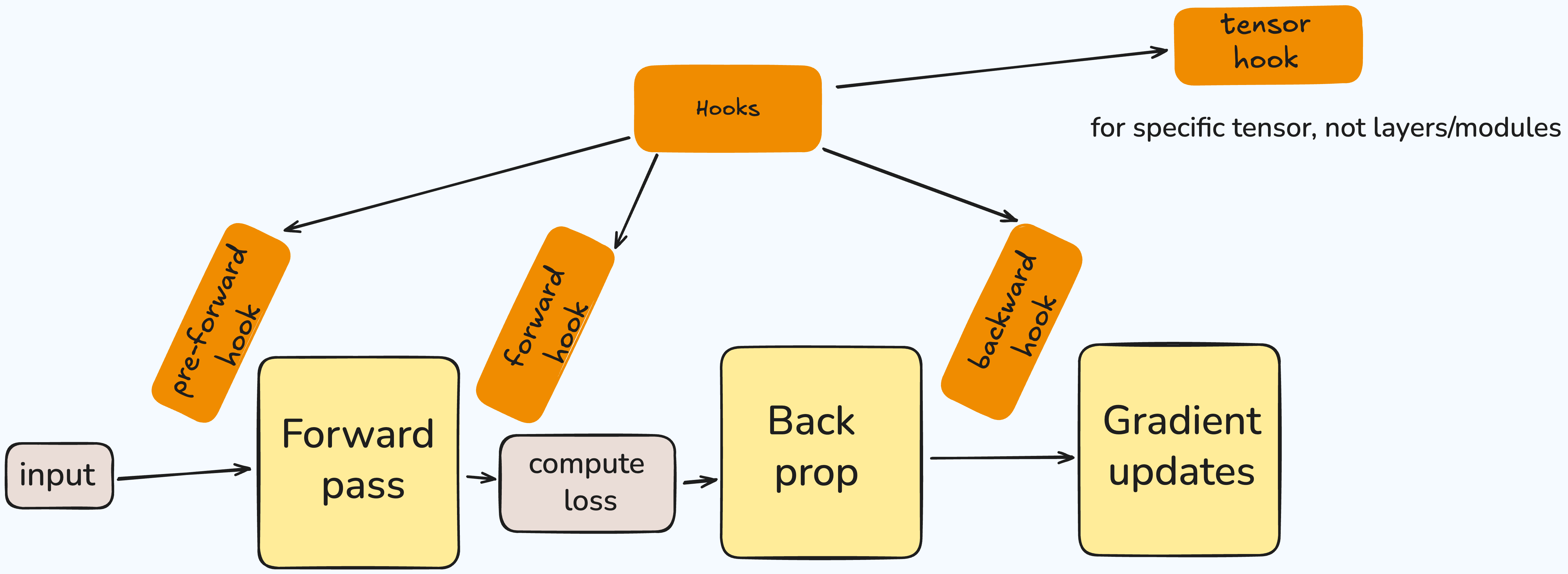
Hooks are useful because you can modify or inspect input-output between these stages. It makes debugging totally easier!
There are four main type of hooks:
pre-forward: happens before the forward pass.
forward: happens after the forward pass but before gradient calculation
backward: happens after the backpropagation.
tensor: for specific tensor operation.
There are actually more hooks implemented in the pytorch such as state_dict_hooks and load_state_dict_pre_hooks!
The main use-case for the hooks are like visualizing after forward or backward passes!
As I asked during the lightning talk to Zach, he said Tensorflow Playground (kind of projects, visualizing the layer's outputs) are using hooks for the visualization. + also you can use hooks to create heatmaps!
Here's an example from Tensorflow Playground!
This example is great visualizing the each neurons in the layers and the output. During the training! You can choose data, features, increase/decrease the neurons and even decide about the activation function! I mean it's awesome!
Now, let's go through the pytorch code for this, how can we implement in the basic setup!
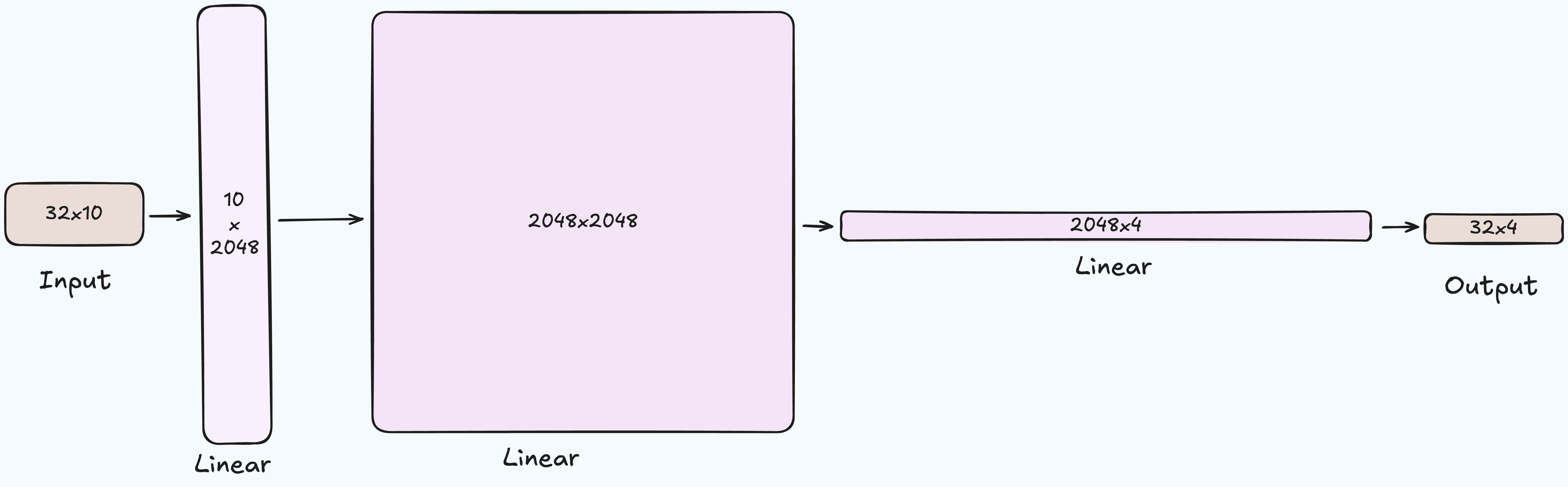
First we should implement our Model with simple 3 Linear layers with two ReLU activations!
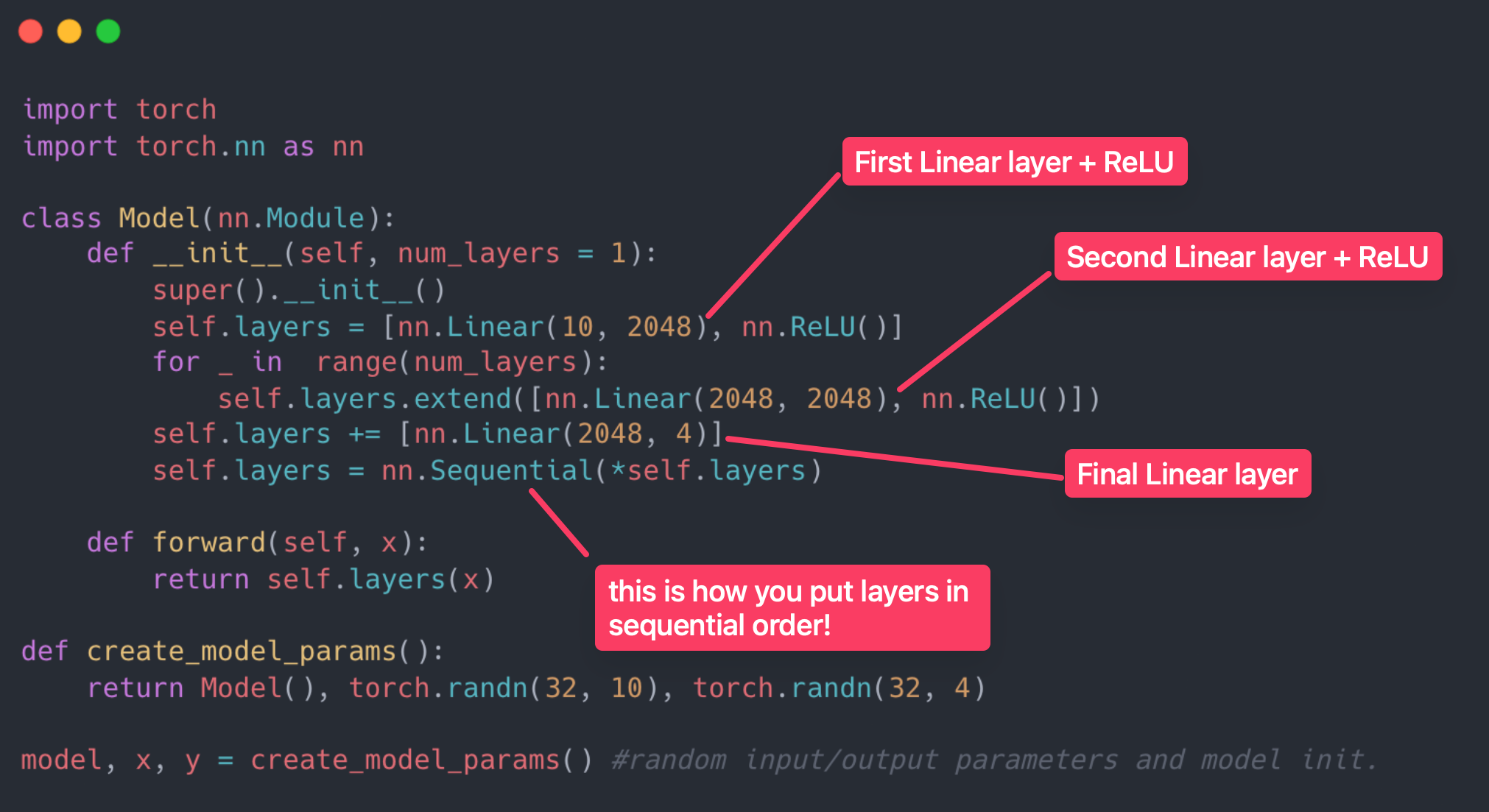
Now let's define our Hook class!
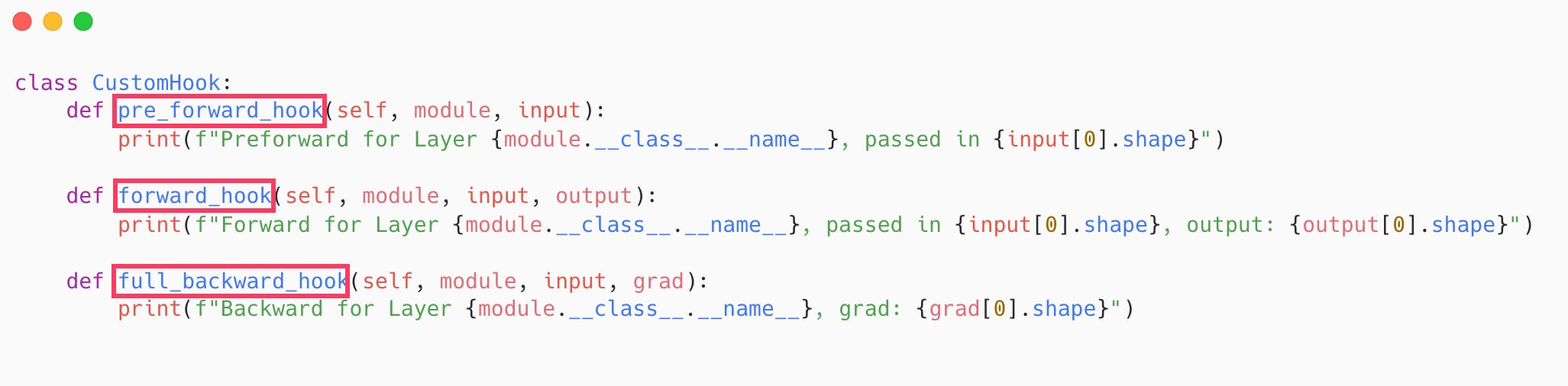
And we are using a 'for loop’ registering our hooks to the Model we've created!
Pytorch has register methods for all the hooks. You need to register it in the regarding modules
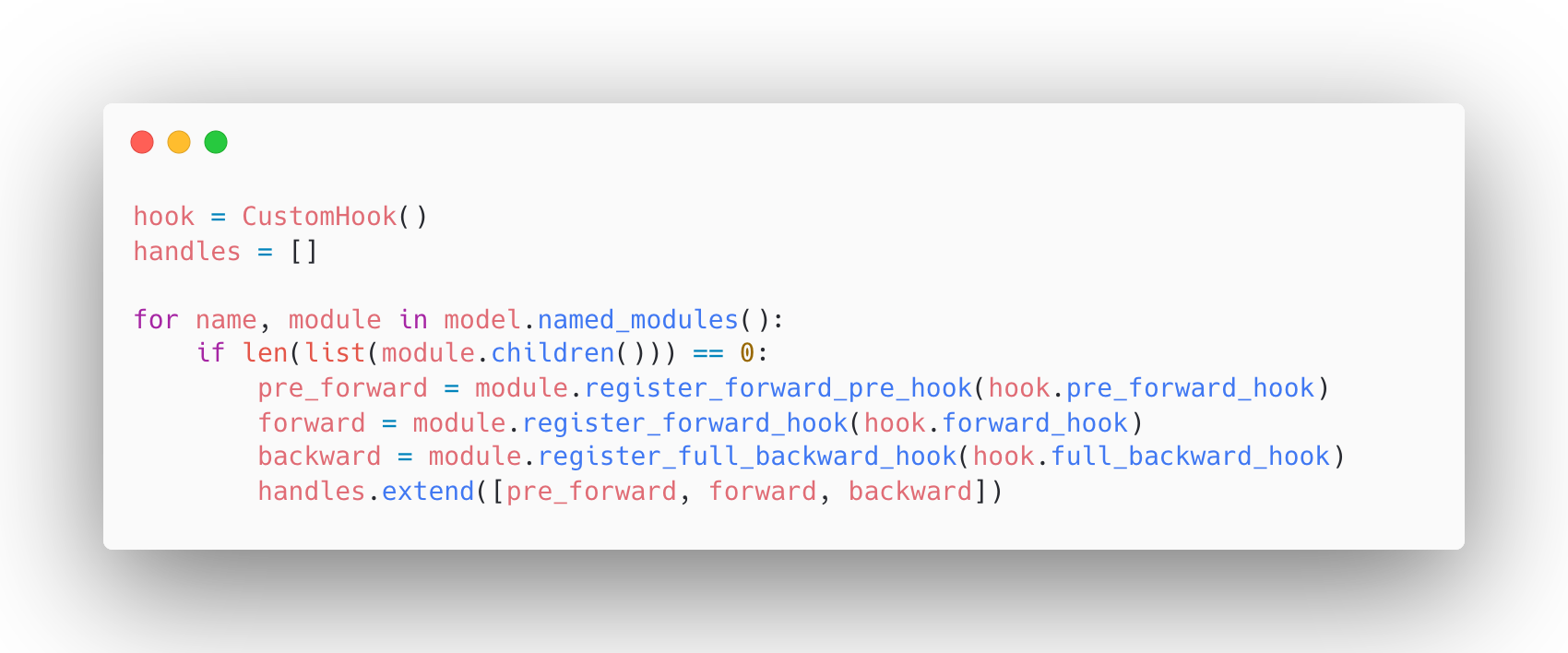
this is how named_modules looks like btw:
layers.0 Linear(in_features=10, out_features=2048, bias=True)
layers.1 ReLU()
layers.2 Linear(in_features=2048, out_features=2048, bias=True)
layers.3 ReLU()
layers.4 Linear(in_features=2048, out_features=4, bias=True)
Since we're storing all of our hooks in the handles list, we can easily remove them via clear() method.
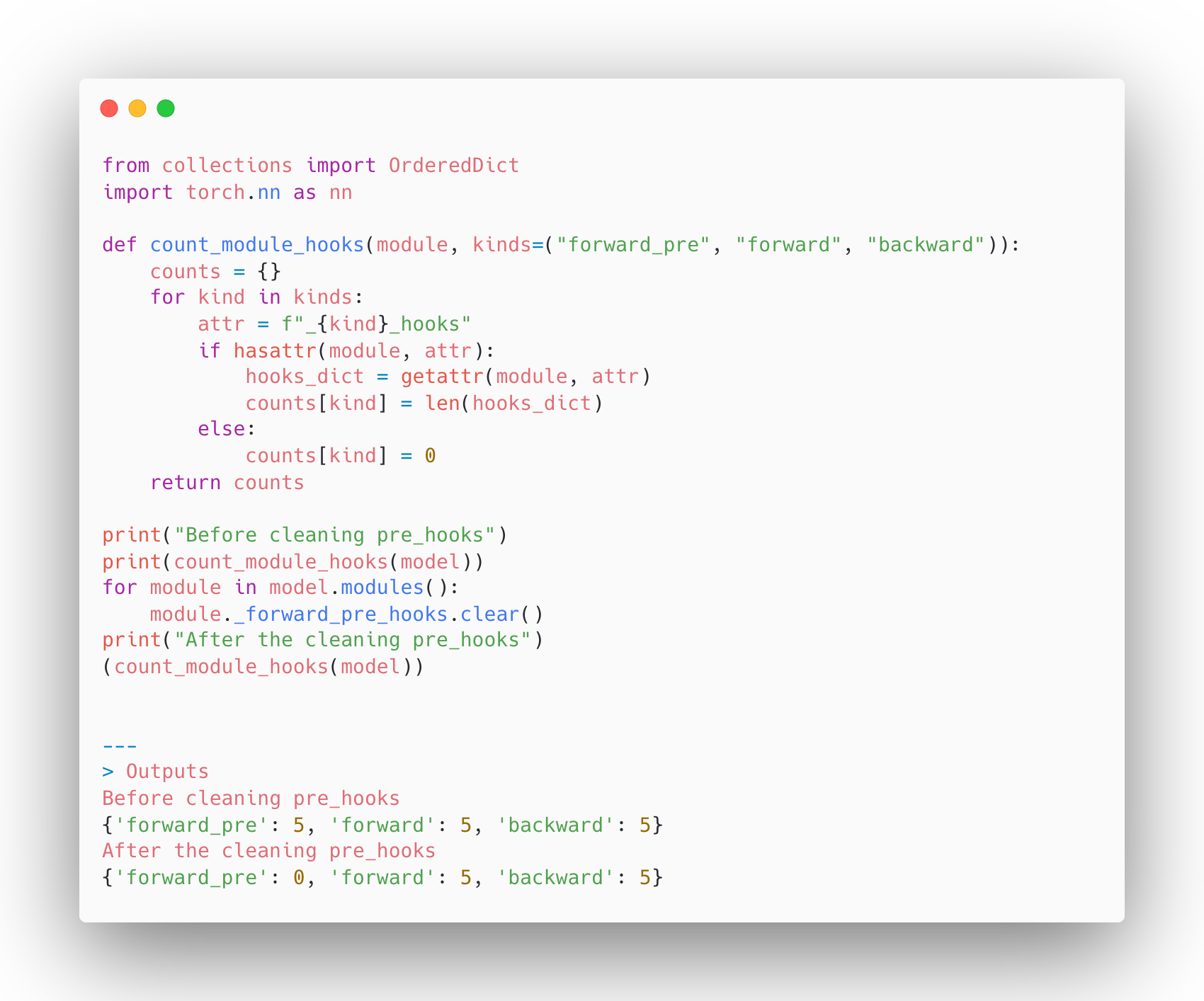
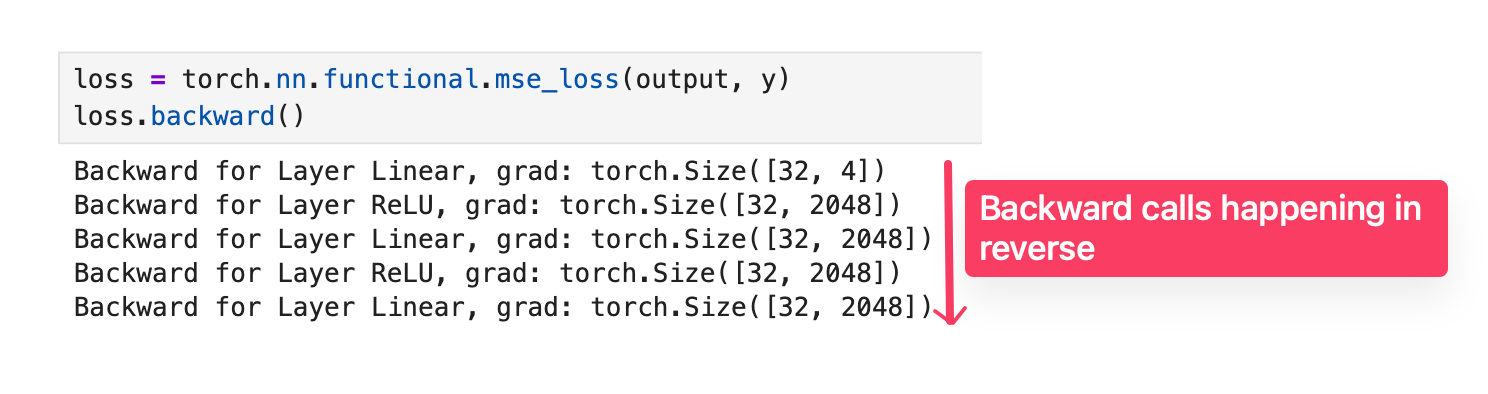
Now we attached our custom hooks to the Model! Let's see the results when we run the forward and backpropagation!
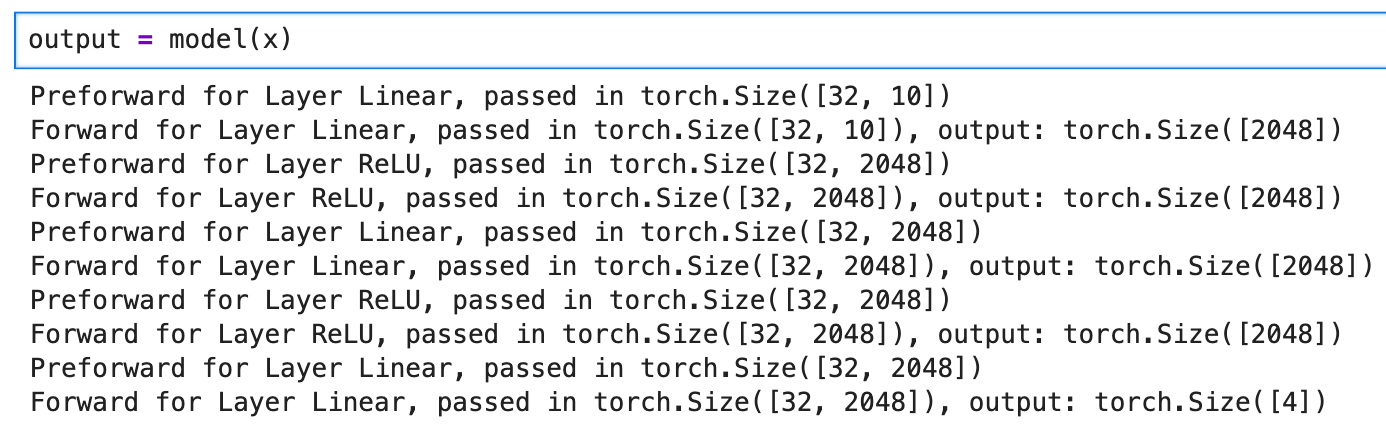
Now let's see the backward hooks output!
All credit goes to Zach Mueller!
To become up-to-date with the latest distributed training concepts. Use the following button to get Zach's course with 20% off! Highly recommending it!